

AI Calorie + rep counter for iPhone
Fuel Up.Enjoy Every Step. Eat. Move. Streak.
Snap a photo of your meal and AI estimates the calories. Then turn them into a daily workout plan verified by the camera rep counter or Apple Health. Reach your daily burn goal and keep your streak alive.
For iPhone · Not medical advice
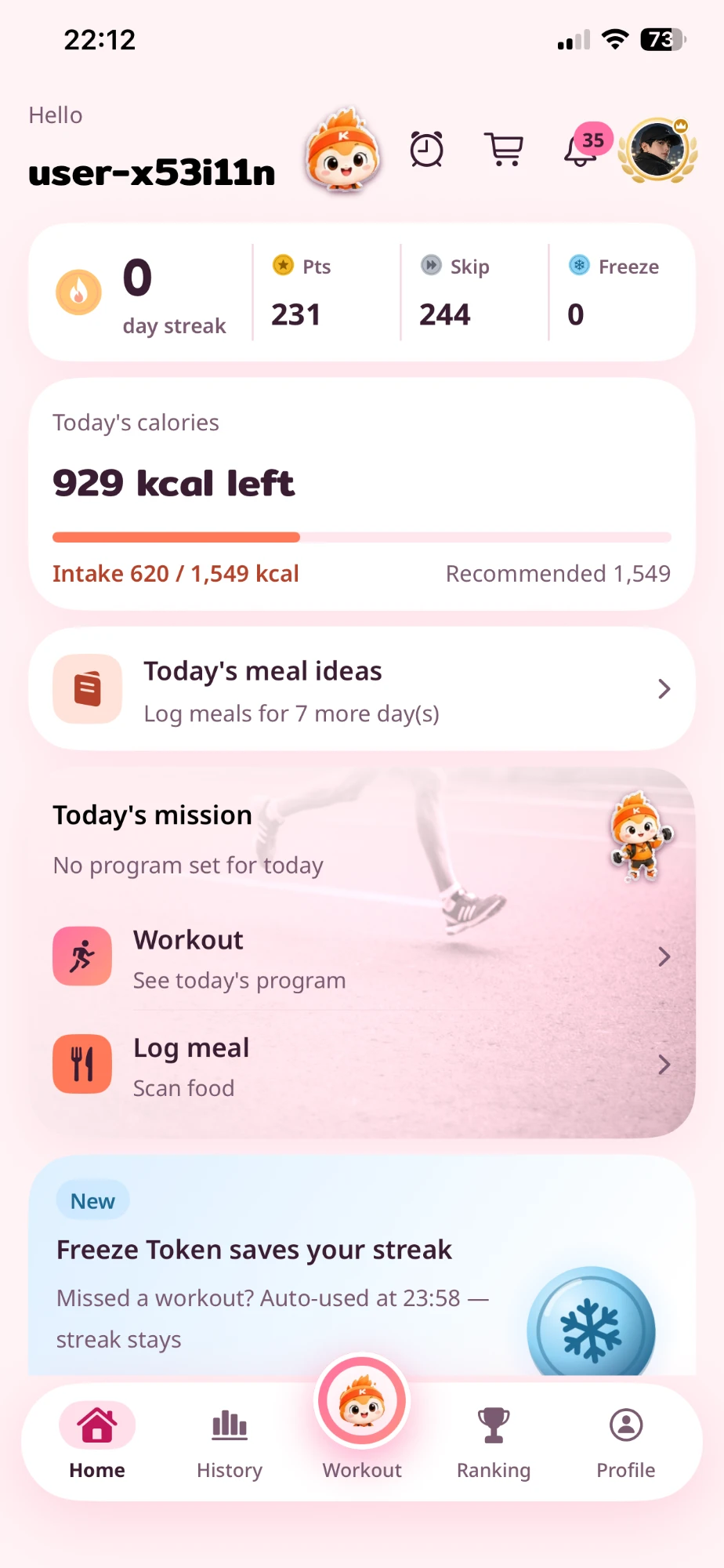
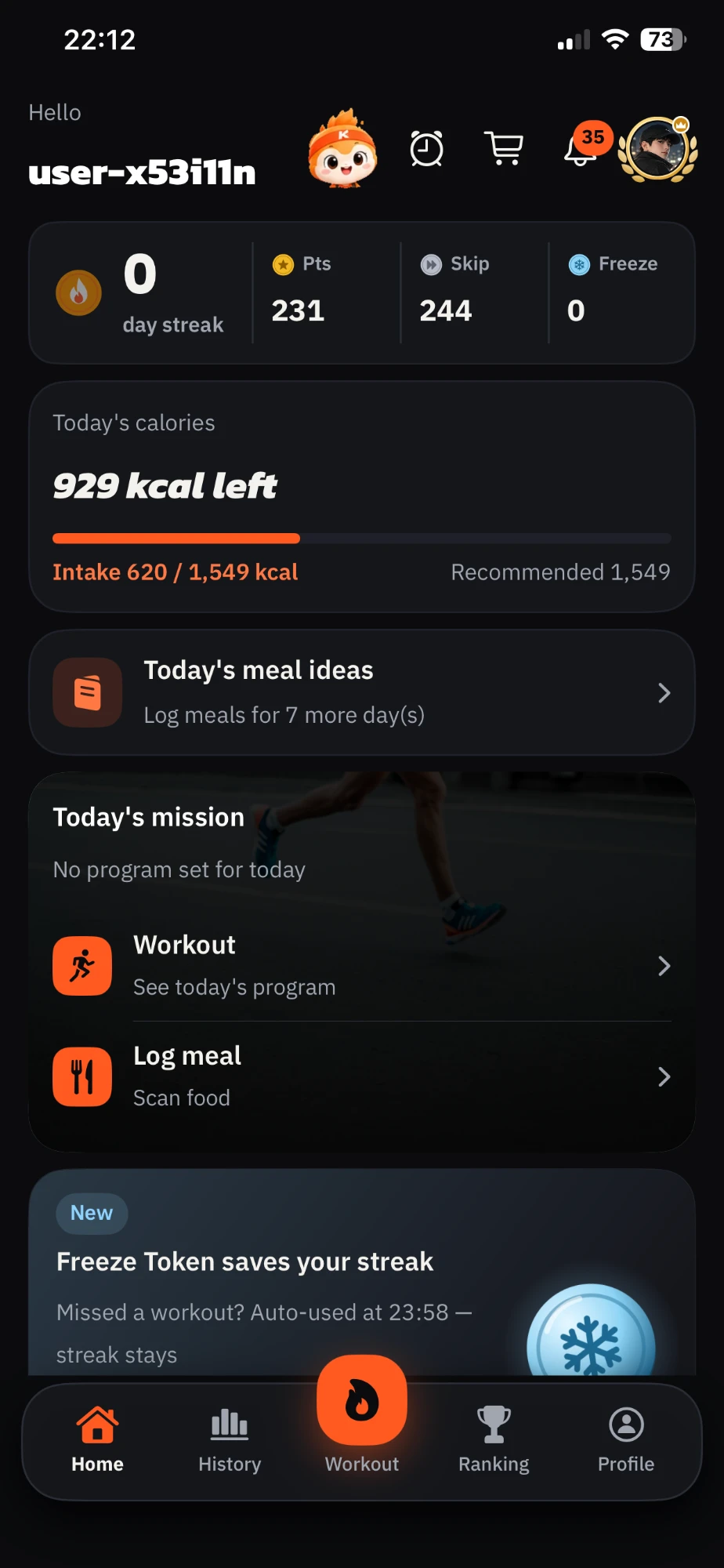

Streak, calories and mission on one screen
Snap a meal, edit before saving
AI food scan
Snap your meal, know the calories instantly
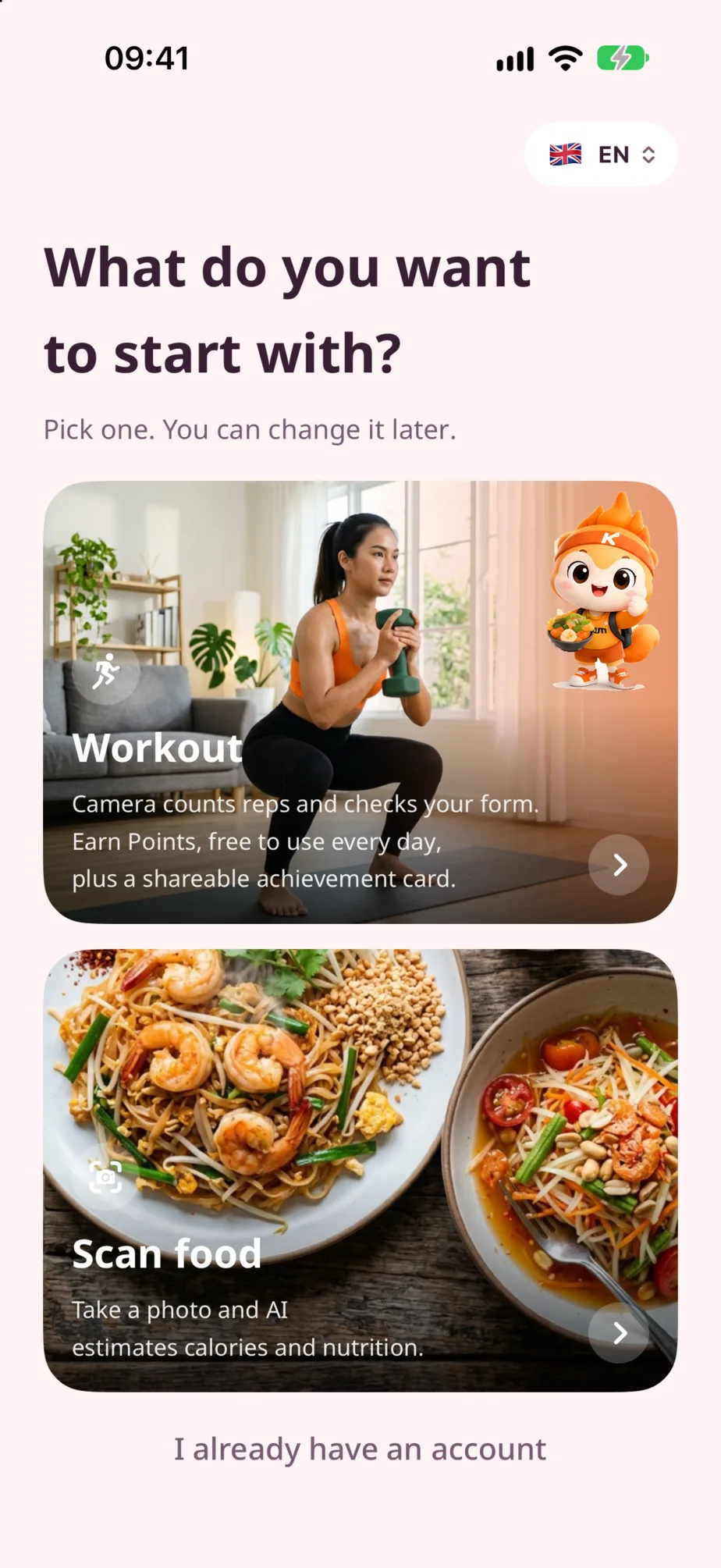
Take a photo of your food and AI estimates the calories for the whole plate, then tells you how much to burn to work it off.
- One photo gives you an estimated calorie count for the whole plate
- Edit the calories and servings before you save
- Shows how many km to run, or how many squats, to burn this meal
- Free plan: scan up to 3 meals a day. Members scan without a daily limit

Snap a photo, AI estimates the calories

Pose-detecting camera
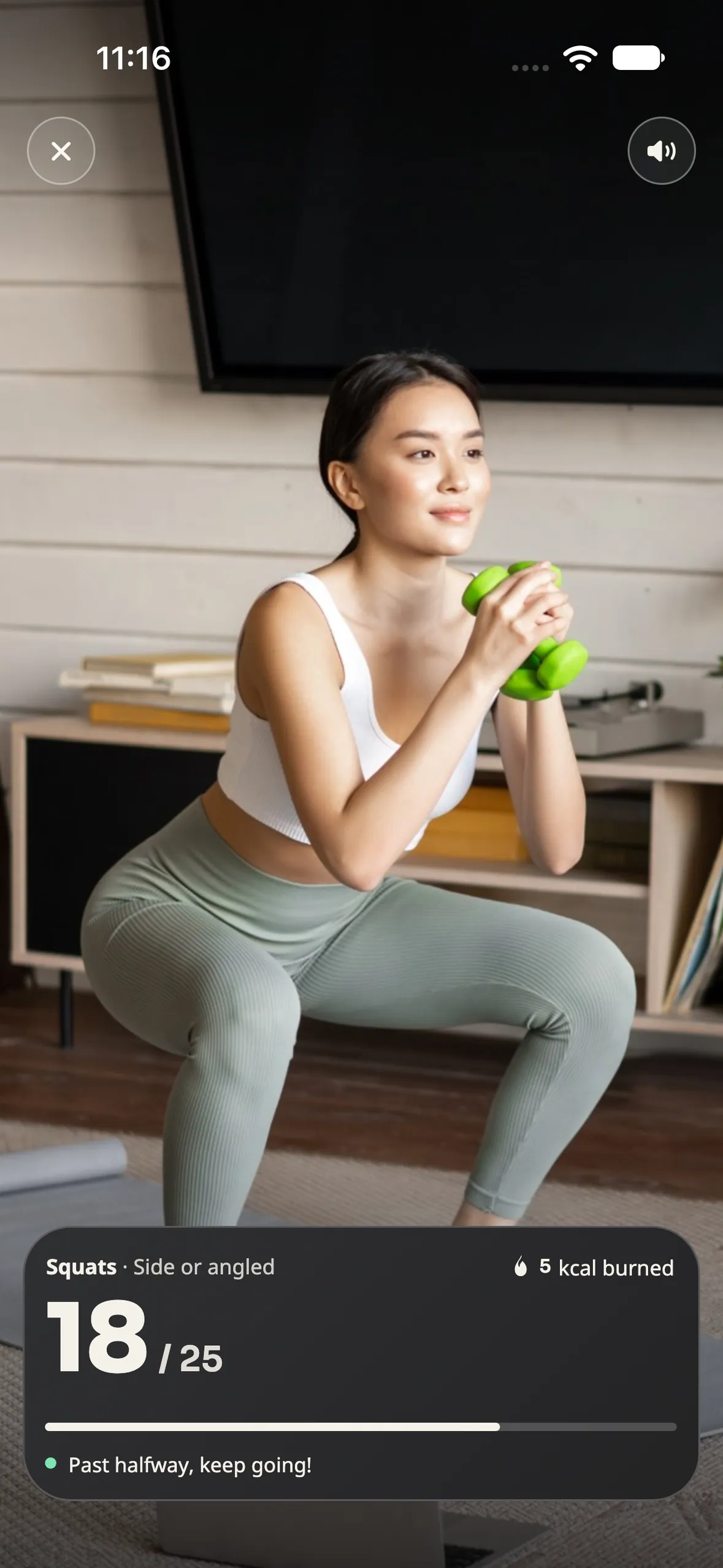
The camera counts your reps for you
Set your phone so your whole body is in view. The camera detects your pose and counts each rep, showing the calories you burn as you go.
- Counts squats, jumping jacks, lunges, jump squats and more
- Tells you the best camera angle for each exercise, such as side-on or angled for squats
- Shows your progress and calories burned right on screen
- Camera frames are processed on your device. No video is saved or sent off it

Alarm clock
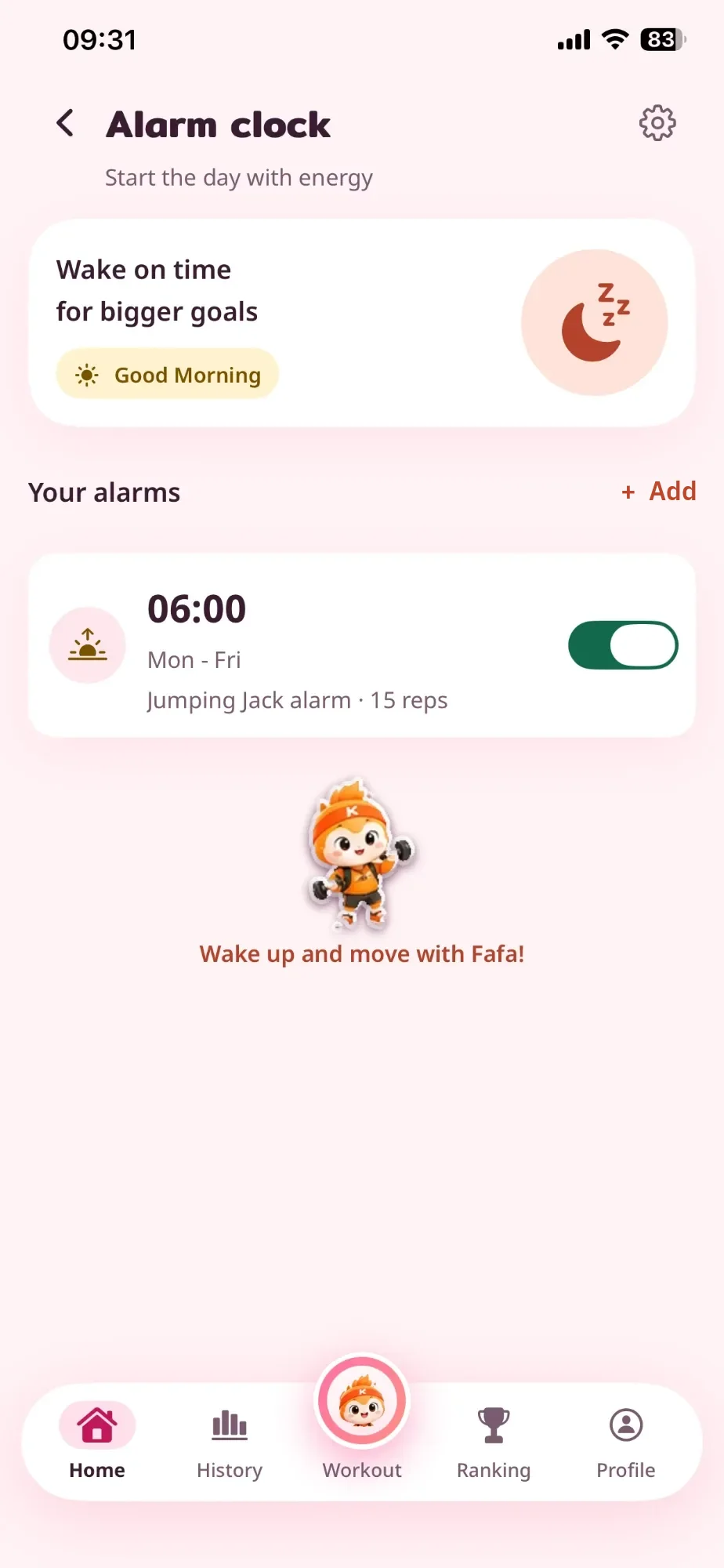
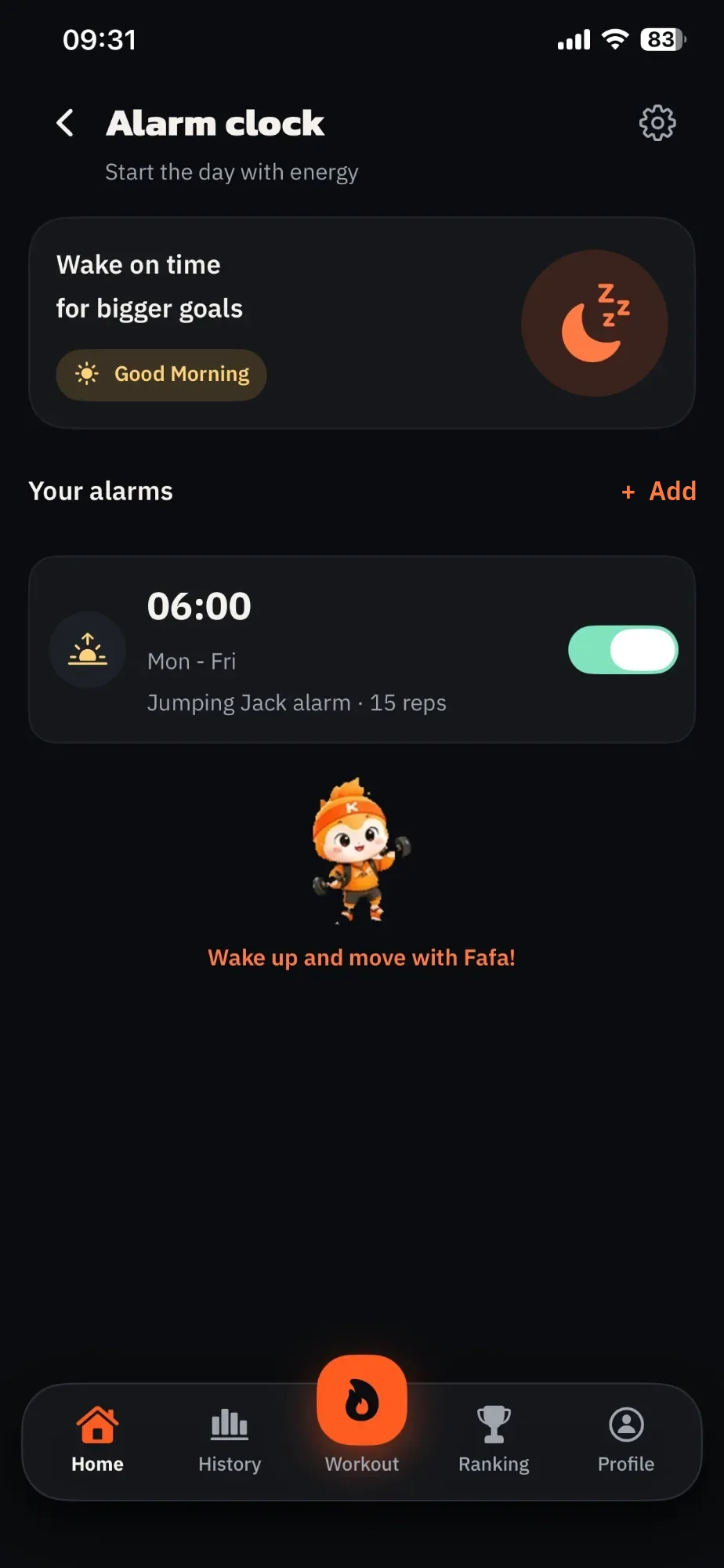
An alarm that makes you move
Set a morning alarm that only stops once you finish your exercise. The camera counts for you, and your day starts with energy.
- Pick the alarm exercise, jumping jacks or squats, and set your own target from 15 to 100 reps
- The camera detects your pose and counts each rep, just like a normal workout
- Haven't hit the target? The alarm keeps going until you do, then cancels the rest for you
- Repeat weekly and choose your own days, label, sound and snooze time
- When you finish, the app shows the calories you burned in this mission (requires iOS 26 or later)
My Theme
My Theme: make the app your own style
Besides Pulse and Sorbet, "My Theme" lets you pick a photo from your phone as your Home cover, and the app builds a colour set to match it. (some screens are shown in Thai)
- Set up: pick a photo from your library and crop it as the Home cover. Use the same photo for the colours, or choose "Use another photo for the colors" (change it with "Change color photo").
- "Pick a color set": Vivid, Soft, Deep (and Mono when the photo is almost black and white), each with a preview. Light or dark mode follows your photo automatically. Then tap "Use this theme".
- Use it: "My Theme" sits on the theme page next to Pulse and Sorbet. To change the photo or colours later, tap "Change photo / colors".
- Your photo stays on your device only and is never uploaded to a server.
Members can use it as the app's real theme · free users can try building one (a draft kept on the device for 7 days) but need a membership to use it · sample data in the pictures
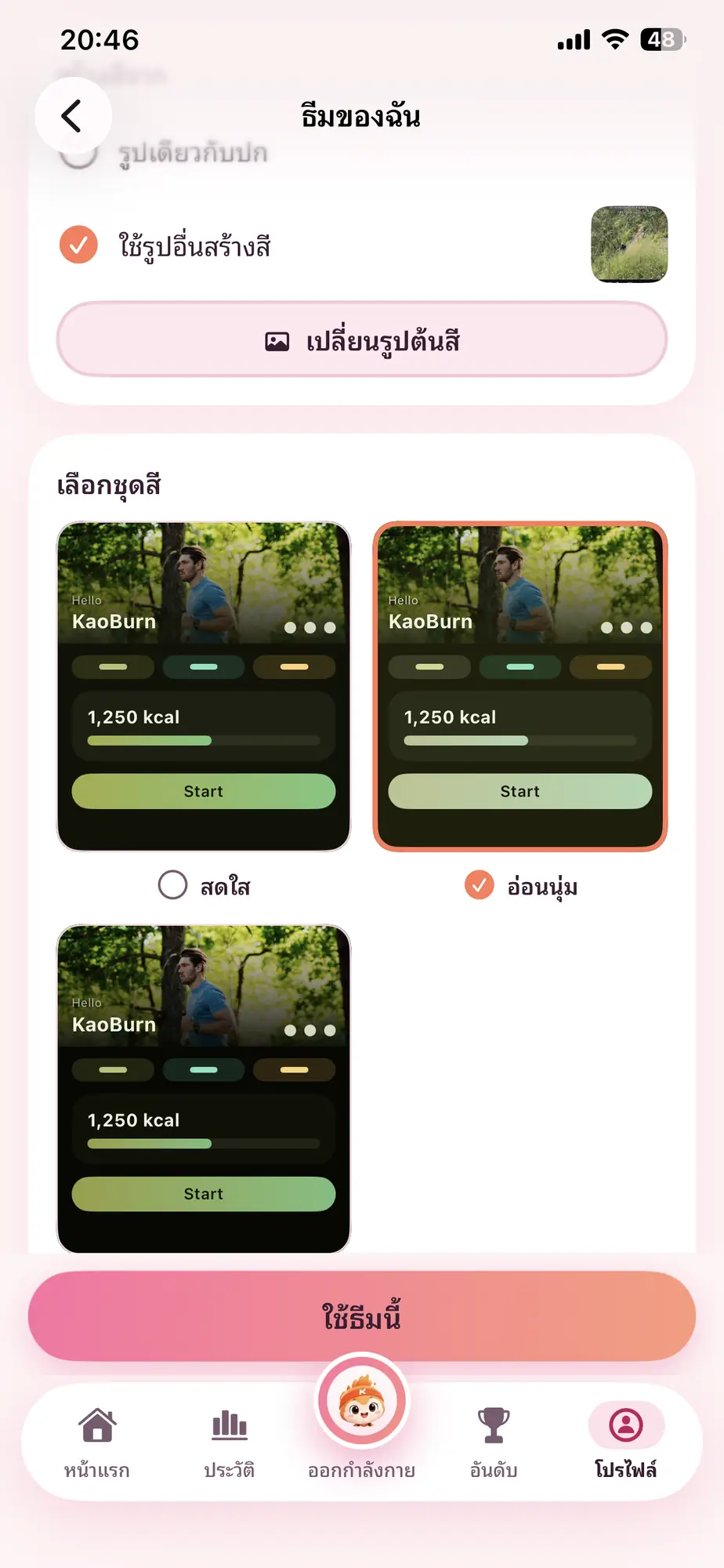
1 Set up: photo & colours 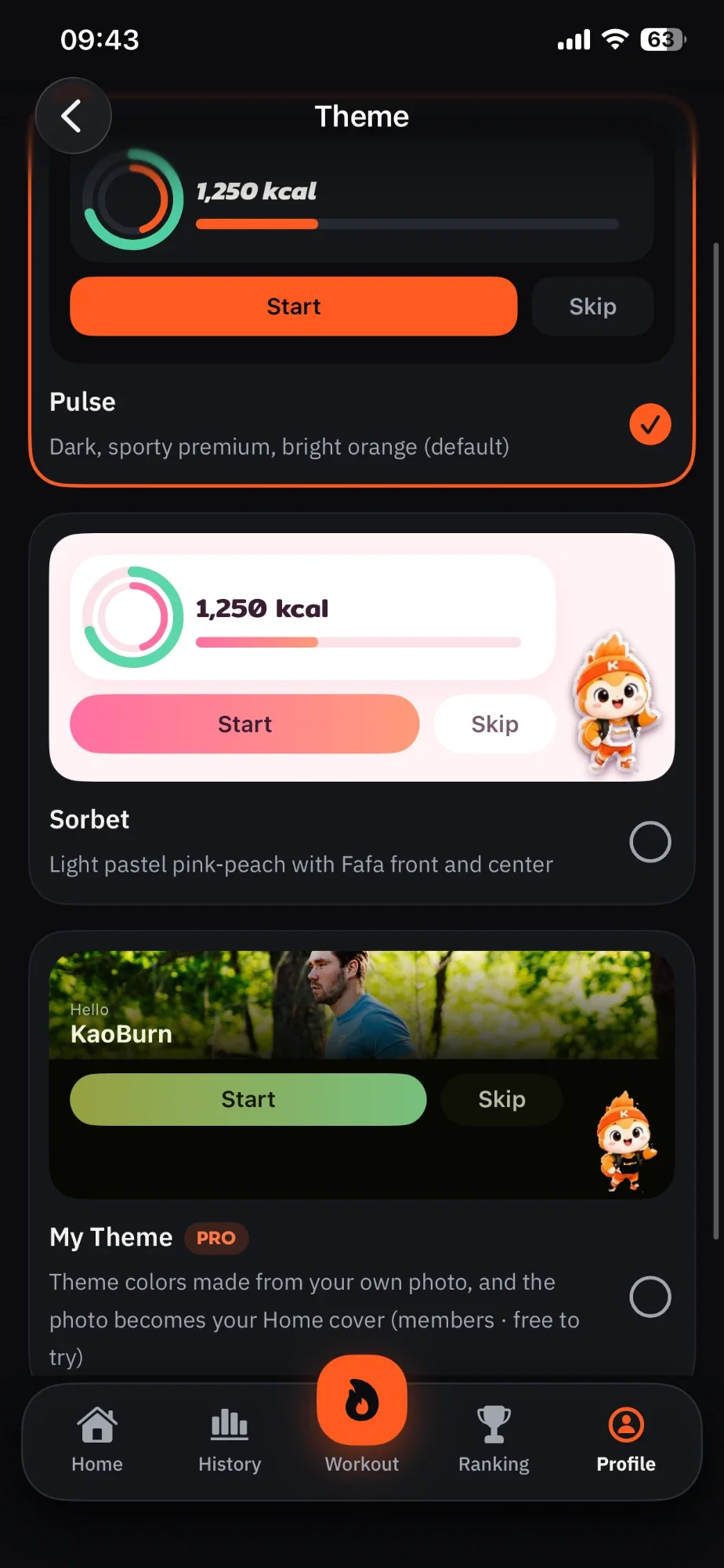
2 Pick it on the theme page 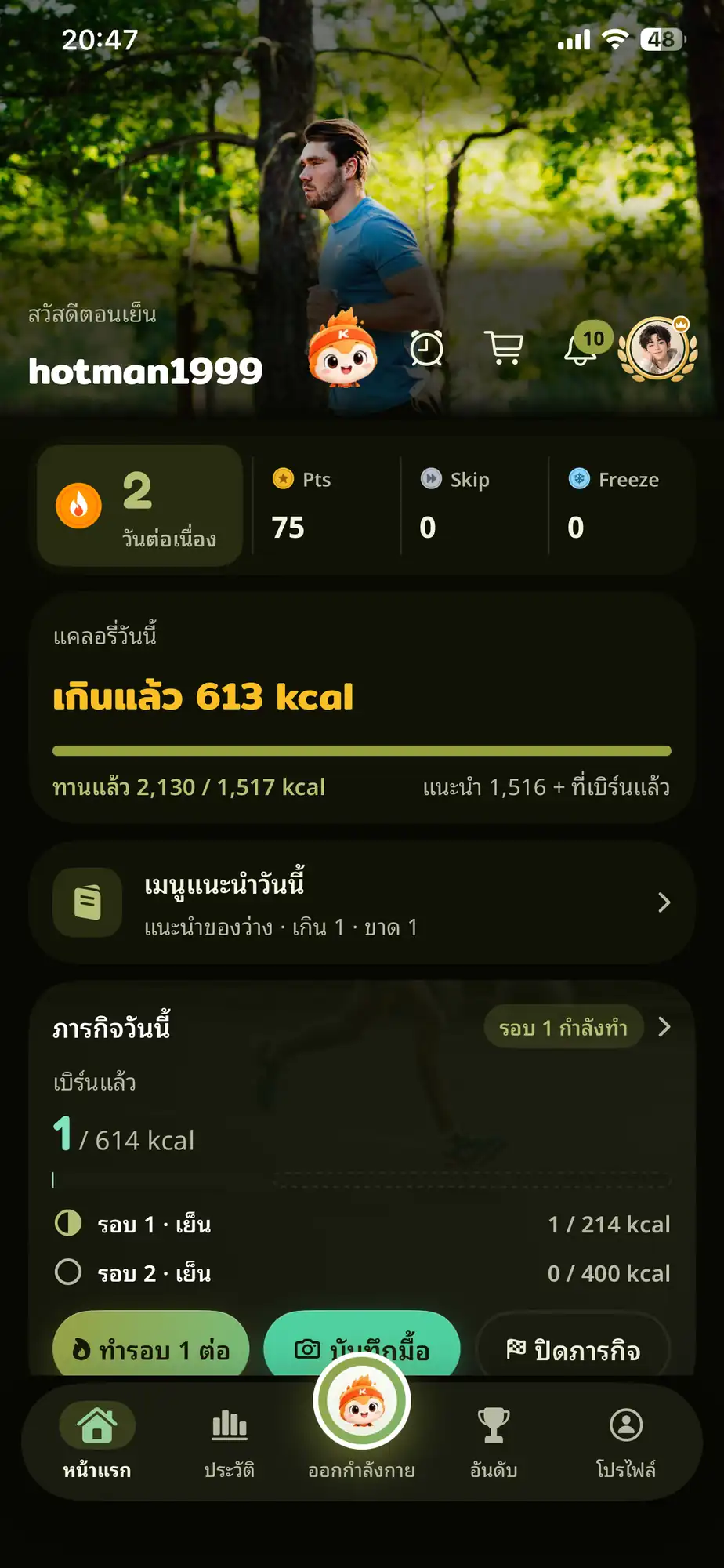
3 Home gets your photo 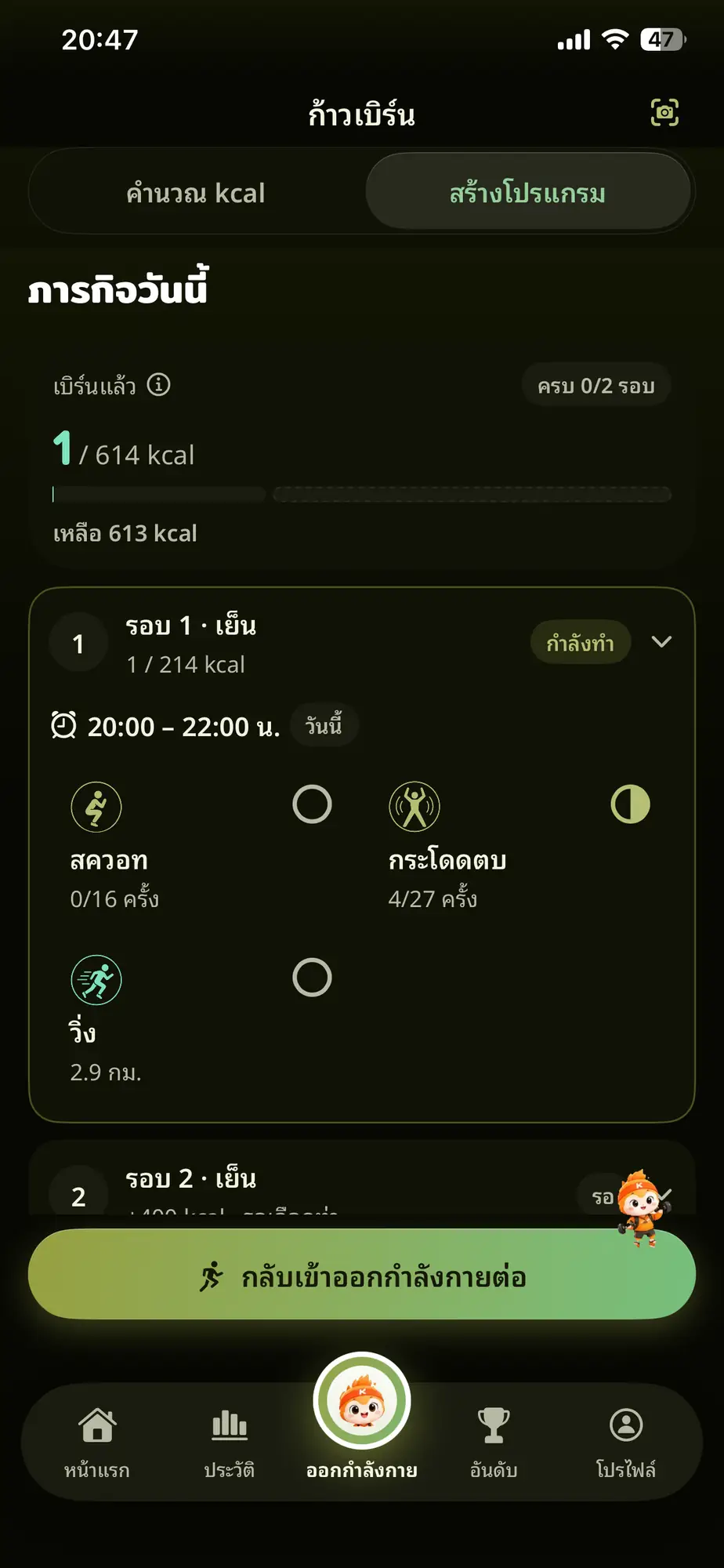
4 The whole app recolours
Share cards
Share today's win in 4 styles
When you finish today's mission, the app builds a summary card. Choose the background and card style, then save it as an image or share it right away.
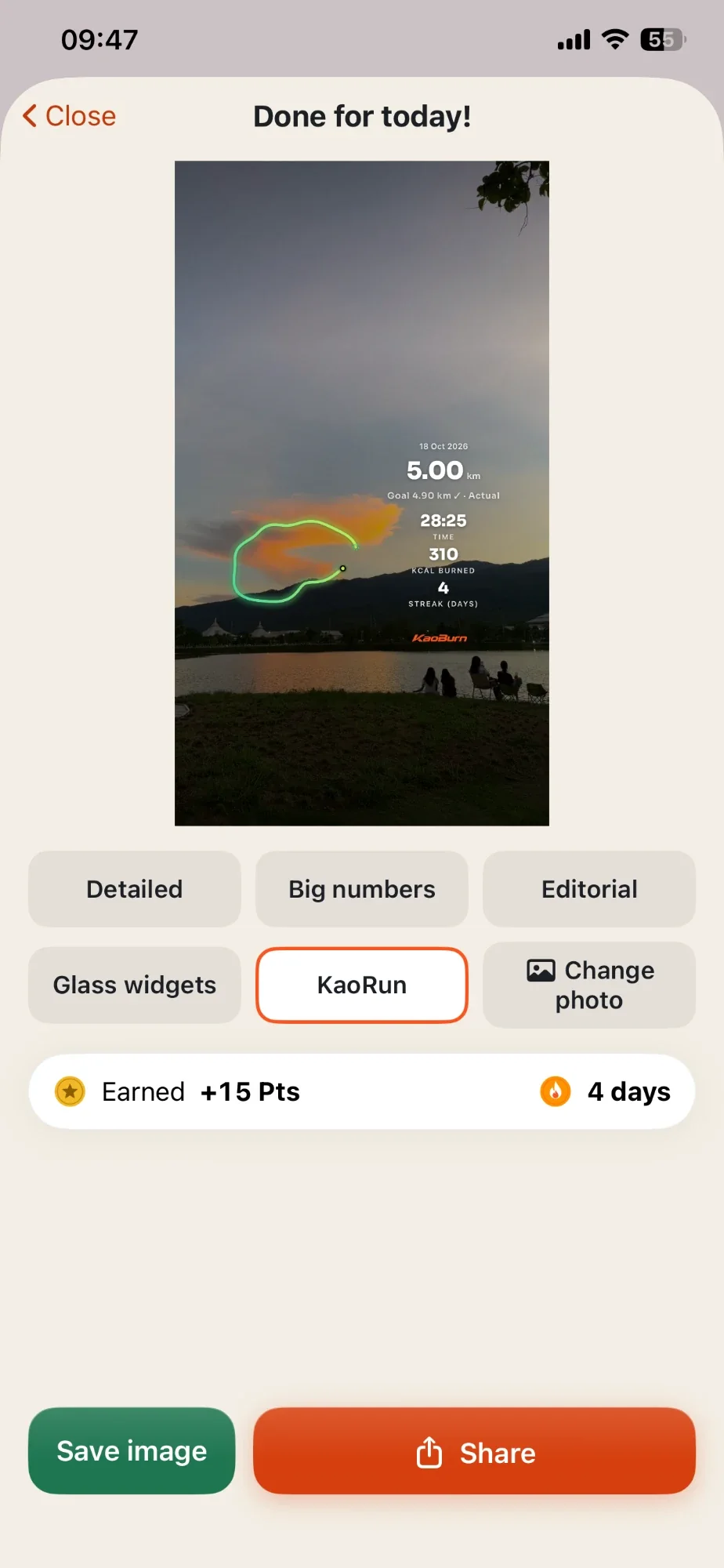
Share card: KaoRun 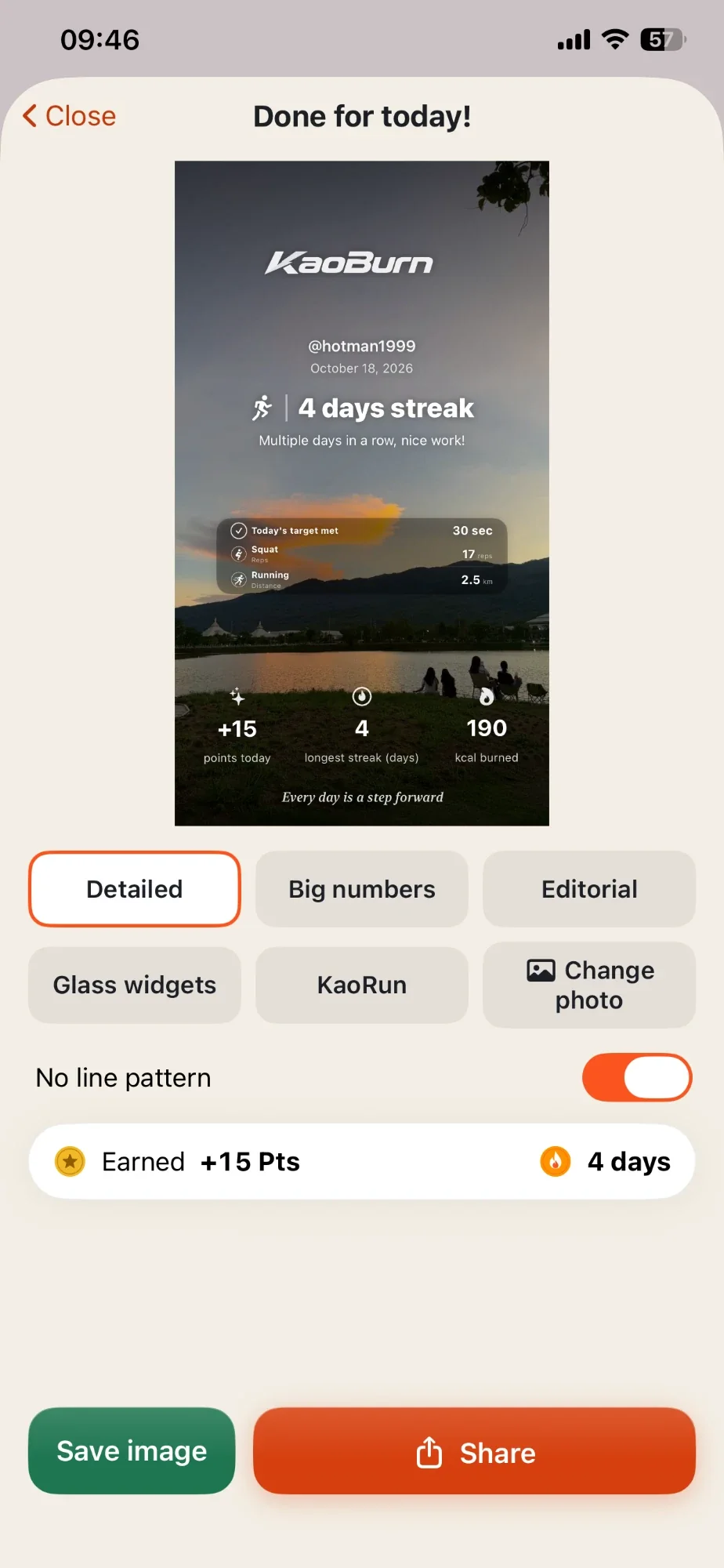
Share card: Detailed 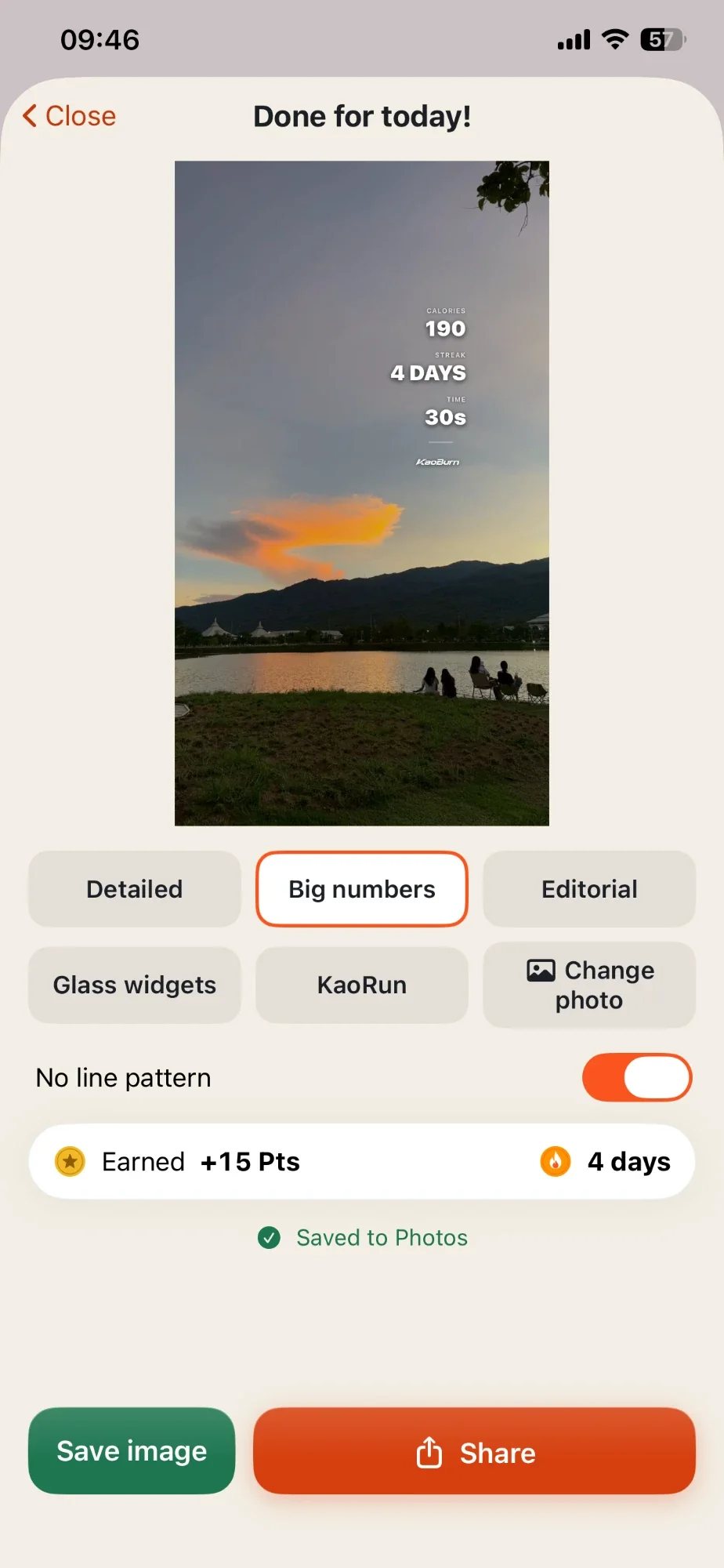
Share card: Bold numbers 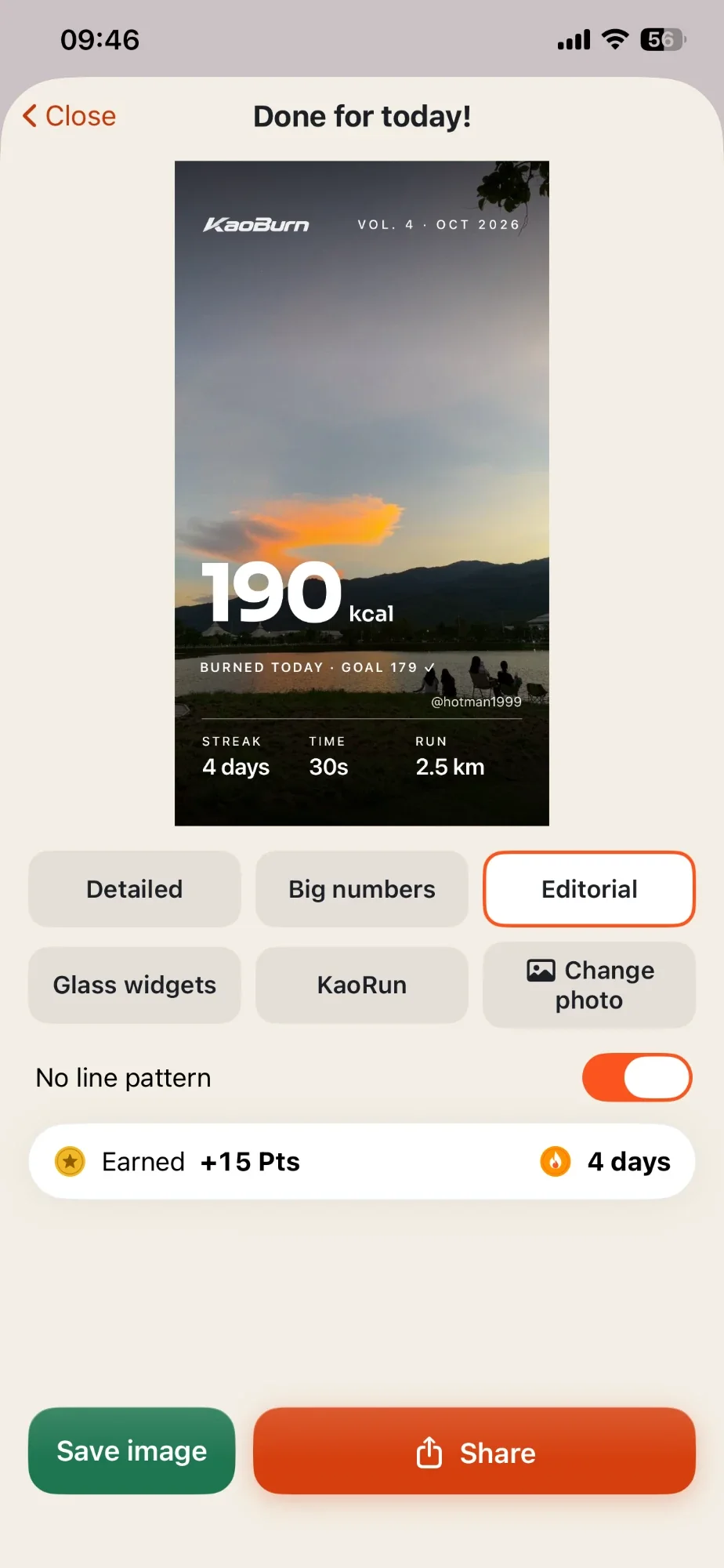
Share card: Magazine
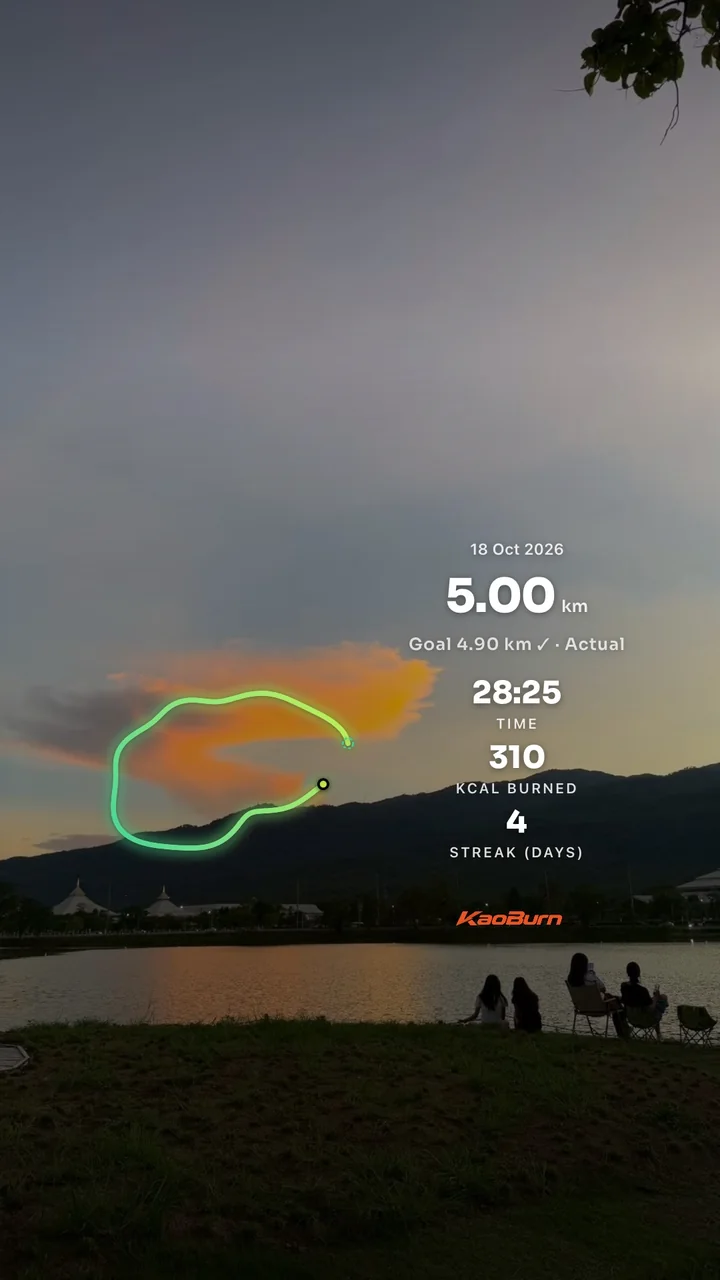
KaoRun style
KaoRun — share your running route
After a run, the app draws the route you ran as a glowing line on your own photo, with distance, time, kcal and streak. Save it as an image or share it right away.
- The route comes from your running data in Apple Health (for example from an Apple Watch), drawn as a line on your photo, not a map.
- Pick one of 3 line colours, use your own photo as the background, then drag and pinch to resize.
- The first and last 200 metres of the route are cut automatically, so your start point (like home) is not revealed.
How it works
Eat, move, streak in 3 steps
Snap every meal
Take a photo and AI gives you a close calorie estimate.
Sum it up, get a workout plan
The app adds up your calories for the day and builds a plan for you (Auto), or set the reps for each exercise yourself. You can also just start a workout right away.
When it's time, burn it all
The app reminds you at the time you set and helps verify your reps, distance and workout time for you.
Features
Everything you need to eat, then burn
AI calories from a photo
One photo gives you an estimated calorie count for the whole plate.
Camera rep counter + Apple Health
The camera counts squats, lunges, jump squats and jumping jacks for you, processed on your device. Running, badminton, weight training, yoga and Pilates are verified with Apple Health. Your workout summary can also show your average heart rate when Apple Health has heart-rate data, for example from an Apple Watch.
Quick Start, auto or custom plans
Start a camera exercise right away with Quick Start, no plan needed. Or let the app split your calorie target across exercises, or set the reps yourself. Pick a time that suits you and the app reminds you.
Streaks and Skip Tokens
Build a daily streak by reaching your daily burn goal. Members get Skip Tokens to cover the days they can't make it, so the streak keeps going.
Stats and health goals
See calories eaten vs burned each day, how much you have burned this month, weekly summaries and up to a year of history, plus your BMI, recommended daily calories and a weight-loss plan.
Share cards + TH/EN
Save your daily achievement card to Photos and share it anywhere. Cards also include workouts from Quick Start and Apple Health. The app is available in Thai and English.
Overall + season rankings
Rankings based on verified activity only, all-time and per season (every 3 months).
FAQ
Questions? We've got answers
How accurate are the AI calorie counts?
They are estimates from a photo, meant as a guide. You can check and edit the dish name and calories for every meal. This is not medical advice.
How do I cancel a membership?
Memberships are not on sale yet. When they are, buying and cancelling are handled entirely by Apple in Settings > [your name] > Subscriptions on your iPhone.
Can I delete my account?
Yes, from inside the app. See the full steps on the account deletion page.
Is there an Android version?
Not yet. KaoBurn is iPhone only for now.





Fuel Up. Enjoy Every Step.
Questions, feedback or partnership ideas? Get in touch.